Wedding seating chart and “Find your seat” sign
Seat your guests, then turn the same list into a seating sign for the entrance, matching your place cards.
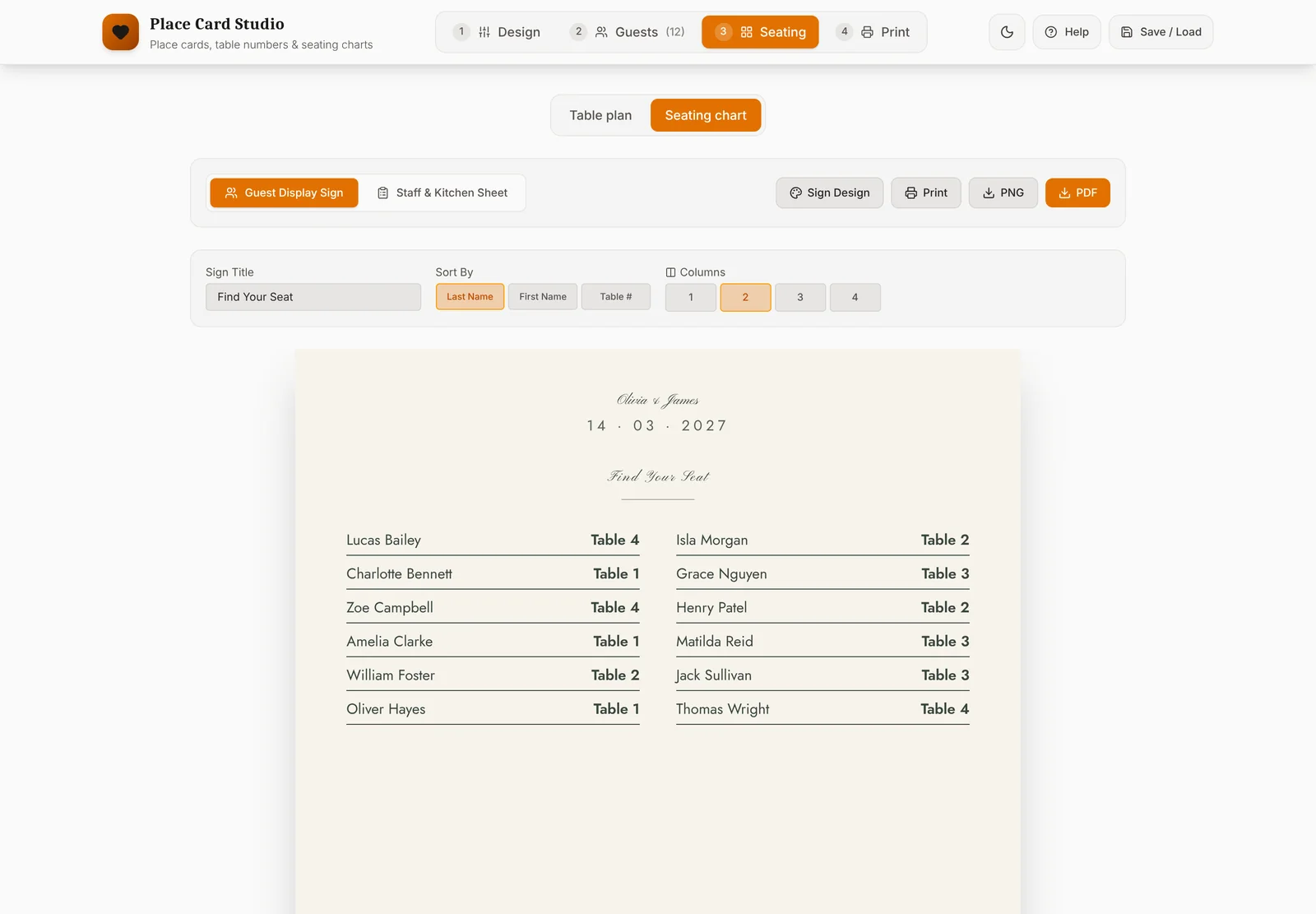
How it works
- Add your guests in the studio: paste a list, import a spreadsheet or type them in.
- Open the seating plan and drag guests onto tables. Meal choices show beside each name, so you can see dietary needs at a glance.
- Design the “Find your seat” sign: couple’s names, date, title and fonts. It lists every guest with their table.
- Download it as a PDF or PNG and print it at Officeworks or a print shop, or show it on a screen.
Tips for planning your seating
- Start with the fixed tables: the bridal or head table, then immediate family, then work outwards.
- Seat groups who know each other together: school friends, work friends, sporting clubs.
- Think about access: older guests away from the speakers, and near the exits and bathrooms.
- Keep kids with their parents, or at a kids’ table close by.
- Leave the final version late. RSVPs change, so lock the plan a week or two out and reprint if needed.
Alphabetical or by table?
For more than about 60 guests, an alphabetical list is fastest: guests find their surname and walk to the table. For smaller weddings, listing guests under each table looks lovely and shows who they’re sitting with.
Printing your sign
Seating signs are usually printed large, such as A2 or A1 on foam board, so they read from a few steps away. Most print counters, including Officeworks, can print and mount a PDF on the same day. Ask for it to be printed at actual size without stretching.
Everything from one guest list
The same list makes your place cards, with a different name on every card, matching table numbers and a meal sheet for your caterer. When someone swaps tables the night before, edit the guest and export again.
Designing is free. Unlocking your event costs A$19 once and covers every export for that wedding.